
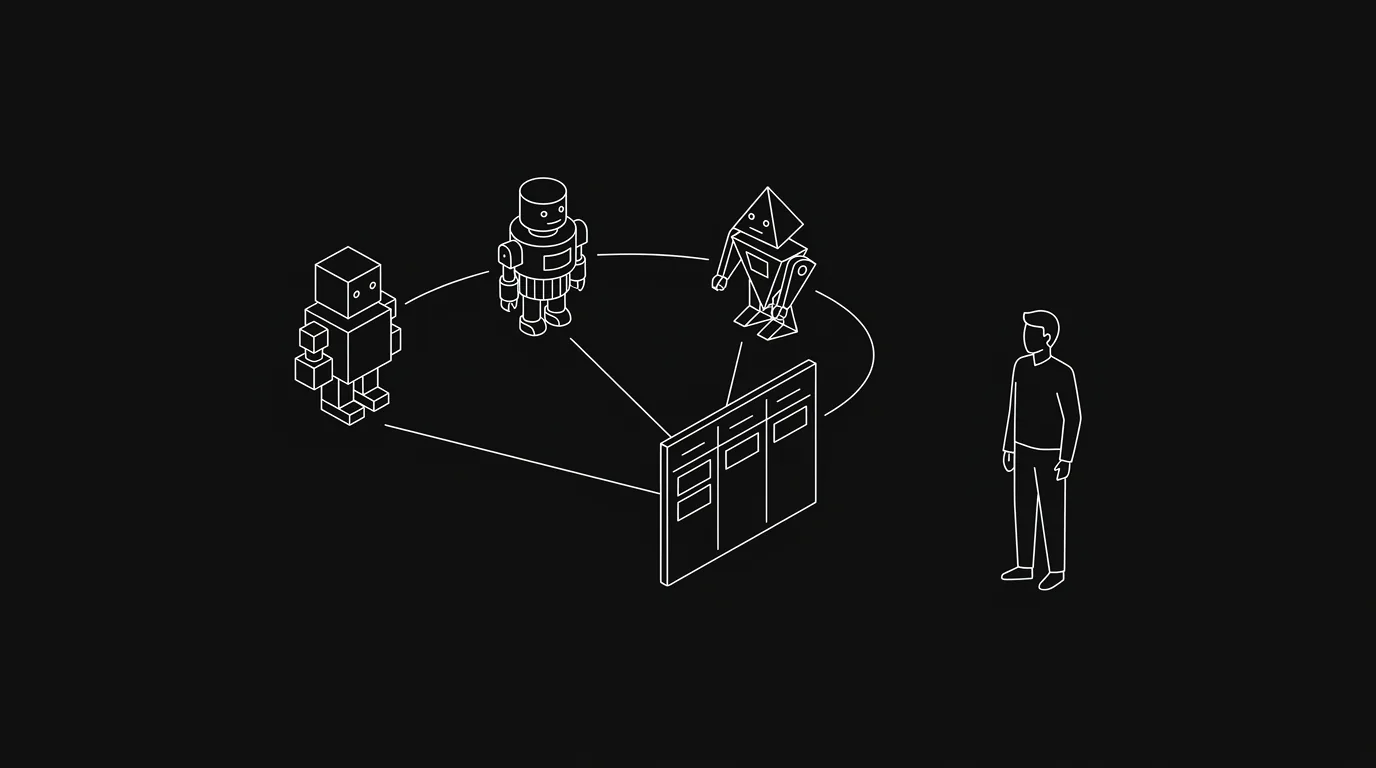
A multi-agent team on one board needs more than a list of agent names. Each agent needs a bounded task, an exclusive claim, its own identity, and a clear way to return evidence. The board holds shared state across sessions. It also gives the human reviewer one place to see what changed and what needs a decision.
We use this model because chat history is a poor coordination system. It disappears with the session, mixes instructions with status, and makes ownership hard to inspect. A shared project board keeps the task contract and work history after any one agent stops.
This guide covers independent agents that can read and update the same board through MCP, a CLI, or an API. It does not require the agents to share one context window or talk directly to each other.
This field guide covers the coordination layer. Read the full guide to shared project systems for AI agents when you also need to choose board access, permissions, attribution, and human review boundaries.
When several agents help
Multi-agent work has at least three different shapes. They solve different problems.
| Model | Shared state | Best for | Main risk |
|---|---|---|---|
| One agent with subagents | Parent agent context and local files | Research or implementation that fits one supervised run | The parent becomes the memory and coordination bottleneck |
| Agent team inside one runtime | Runtime task list and agent messages | Parallel work with fast peer communication | Runtime state may vanish when the session ends |
| Independent agents on a board | Durable tasks, comments, leases, and status | Work that crosses sessions, repositories, or human review | Weak task boundaries create duplicate or conflicting work |
Subagents are usually the cheapest option. If one lead agent can split the work, collect the outputs, and finish in one run, use them. A durable board adds value when the work lasts longer, when several agents run on different schedules, or when a person must review the result later.
Current orchestration guides tend to focus on what happens inside the agent system. MindStudio describes orchestrator-worker, parallel, evaluator, and debate patterns in its multi-agent orchestration guide. Addy Osmani covers subagents, agent teams, and larger orchestration tiers in The Code Agent Orchestra. Those patterns explain who calls whom.
The board answers another set of questions. Which work is available? Who owns it now? What evidence exists? Which result needs a human? What should happen after a worker crashes?
Define the task contract before the roles
Agent role names feel useful because they are easy to invent. “Planner,” “developer,” and “QA” sound like a team. The names do not prevent two agents from editing the same file or reviewing different definitions of done.
Start with the task contract. Every task that an agent may claim should contain:
- One observable outcome.
- The files, pages, customers, or systems in scope.
- Explicit exclusions when adjacent work looks tempting.
- Acceptance checks the worker can run.
- The evidence the reviewer should receive.
- The person or agent allowed to accept the result.
One task should end in one reviewable outcome. “Improve onboarding” is too open. “Add an empty state to /agents and prove the first-agent action works on mobile” gives a worker a boundary and gives QA something concrete to test.
Roles still matter, but they come after the work has edges. A small setup often needs only two roles: worker and reviewer. Add a coordinator when several ready tasks share dependencies or scarce resources. Add specialists only when their different permissions, tools, or review standards change the work.
Use a board with unambiguous states
A five-column board is enough for most agent teams.
| Section | Meaning | Agent rule |
|---|---|---|
| Backlog | Valid work that is not ready | Do not claim it |
| Todo | Scoped work available now | Claim one task according to the queue rule |
| Doing | One identity owns the current attempt | Post progress and keep the claim alive |
| Review | Work and evidence are ready for acceptance | Wait for review or answer feedback on the task |
| Done | The defined acceptance has passed | Do not move here without authority |
Some teams add Blocked. Others keep the task in Doing, post the blocker, and name the decision owner. Either can work. The failure starts when the same state means several things, such as “Doing” covering active work, abandoned work, and work waiting for approval.
The board also needs one queue policy. It can be due date then priority, a coordinator assignment, or a saved view. Write it down. If each agent scans the whole board and decides what looks interesting, the highest-value task can sit untouched while several agents choose the easiest one.
Limit work in progress. One active task per agent is a safe starting point. An agent waiting for a two-minute tool response still owns the task. An agent waiting two days for a product decision should report the blocker and release the active slot according to the board rule.
Dependencies belong on the tasks, not in the coordinator’s memory. If implementation cannot start before a schema decision, link the tasks and keep the dependent work out of Todo. A worker should never claim a task whose prerequisite is still open. When a prerequisite closes, the board or coordinator can make the next task eligible.
Keep dependency chains short. A plan with twelve sequential agent tasks may look organized, but one weak handoff can stall everything behind it. Combine work when the same agent and context can finish it safely. Split only where ownership, review, or parallel execution benefits from a real boundary.
Claim work atomically
Moving a card to Doing is not enough when several automated workers can select work at the same time. Two workers can both read Todo before either move reaches the server.
Use an atomic lease or claim operation:
- Read the eligible queue.
- Select the first task under the published order.
- Ask the server to claim that exact task for this agent.
- Start only if the claim succeeds.
- If it fails, refresh the queue and choose again.
The lease should identify the task, agent, claim instance, and expiry. The claim instance matters. Without it, an old worker may release a newer worker’s lease after a retry.
Long work also needs a heartbeat. Renew the lease while the agent is active. If the worker dies, the expiry makes the task eligible again. A visual card move can remain for humans, but the lease decides ownership for machines.
Not every team needs a lease service. Two people launching agents by hand can assign tasks before starting them. Scheduled workers, webhook-triggered agents, and a shared Todo pool do need a collision rule. Duplicate implementation is expensive. Conflicting production actions are worse.
Hypertask exposes structured task operations through its MCP server and command-line access through the scoped @hypertask/hypertask_cli package. The CLI versus MCP guide explains where each access mode fits.
Give every agent an identity
Shared credentials erase accountability. If five workers comment as “Automation,” the task history cannot tell you which prompt, runtime, or permission set produced a change.
Give each durable agent a separate identity. The identity should have:
- A name people can recognize in task history.
- Access only to the boards it needs.
- A token stored outside tasks, comments, repositories, and logs.
- A defined role or queue scope.
- A way to revoke or rotate access without stopping the whole team.
Identity helps with routing too. A reviewer can send a finding back to the worker that made the change. A coordinator can see which specialist is busy. Audit logs can connect a task update to the responsible runtime.
Do not confuse identity with isolation. Separate names on the board do not prevent agents from editing the same worktree, using the same test database, or deploying over each other. Use separate branches and worktrees for code. Use scoped test data. Keep production permissions narrower than board permissions.
Put updates on the task
Agents generate a lot of output. Most of it should not become a comment.
The task needs durable project facts:
- A claim that names the intended outcome.
- A blocker that requires another person or system.
- A scope change that affects acceptance.
- A progress checkpoint for work long enough to worry the team.
- A final report with the artifact, checks, and remaining risk.
Command transcripts, internal reasoning, repeated “still working” notes, and raw dependency logs belong in the agent session or a linked build artifact. Posting them all to the board hides the update a person needs to read.
A useful final comment is short:
<p><strong>Ready for review.</strong> The import now rejects duplicate task IDs before writing any records.</p>
<ul>
  <li>Artifact: pull request 123</li>
  <li>Checks: import tests and production build passed</li>
  <li>Review: confirm the duplicate error names the source file</li>
</ul>
That report makes a clean handoff. The reviewer knows what changed, where to inspect it, and what judgment remains.
Route human attention through one inbox
Independent agents should not force a person to watch the board. The board stores state. The inbox tells the person which state change needs attention.
Assignments, direct mentions, replies, blockers, and review requests should create task-anchored inbox items. Routine status changes should stay quiet unless the person subscribed to them. This keeps the reviewer out of a second notification feed made entirely by machines.
The rule we use is simple: an agent asks for attention only when a person has a decision, a review, or a blocked dependency. The agent can post ordinary progress on the task without demanding an immediate response.
This is the same async model used by human teams. The difference is volume. Agents can post at any hour and can finish several tasks before a person returns. A bounded review inbox lets the person process that output in a batch.
Add review gates where errors become expensive
Not every task needs a person to click approve. Use the cheapest gate that can decide the outcome.
Deterministic checks should run before review. Tests, schema validation, link checks, builds, and diff checks should fail the worker’s attempt without asking a person to discover the same defect.
Human review belongs where the remaining question is judgment. Examples include customer-facing copy, visual quality, a product tradeoff, a destructive action, or evidence that cannot be reduced to a reliable test.
A separate reviewer agent can catch implementation mistakes, but it should not approve its own product assumptions. Give the reviewer the original task contract and the artifact, not only the worker’s summary. Otherwise the review measures whether the summary sounds convincing.
For production work, define the release authority in advance. Some narrow changes can ship after deterministic checks. Other work must stop in Review. The agent should not invent a new policy when it reaches the last step.
Recover from the failures that actually happen
Most multi-agent breakdowns are ordinary state errors.
| Failure | What the board shows | Recovery |
|---|---|---|
| Two agents start the same task | Two claims or competing branches | Keep the valid atomic lease, stop the other attempt, and preserve any unique evidence |
| Agent stops without updating status | Doing card with an expired lease | Return it to Todo or create a fresh claim after checking the partial artifact |
| Work finishes but the board stays stale | Merged artifact, task still Doing | Reconcile from the artifact and require a final task update in the worker protocol |
| Reviewer cannot reproduce the result | Review comment lacks commands or URL | Return the task with the missing evidence named explicitly |
| Agent needs a product decision | Repeated attempts or speculative implementation | Stop, name the smallest decision, and assign the decision owner |
| Several agents edit one checkout | Unrelated or overwritten changes | Separate worktrees and branches before dispatching parallel work |
| Agent posts too much | Important inbox item buried under logs | Keep task comments to decisions, blockers, checkpoints, and handoff evidence |
Do not hide stale tasks by moving them to Done. A failed attempt can return to Todo with its comments intact. That history may keep the next worker from repeating the same dead end.
Run a one-week board audit
You can tell whether the board helps after a week. Review ten to twenty agent tasks and answer these questions from the board itself:
- Did more than one worker claim any task?
- Did a finished run leave its task in the wrong section?
- Could the reviewer find the artifact and checks without opening the agent transcript?
- How many comments asked for attention without a decision attached?
- How long did completed work wait in Review?
- Which blockers lacked a named owner?
- Did any shared checkout or environment cause agents to collide?
Fix the protocol before adding more agents. If claims collide, add leases. If status goes stale, make the final board update part of completion. If reviewers cannot understand the handoff, tighten the final comment template.
Agent count is a poor success metric. The board is working when ownership is accurate, review is fast, and a stopped session does not erase project state.
Frequently Asked Questions
Can multiple AI agents use the same project board?
Yes. Give each agent its own identity and board access, then define how it claims work and reports results. Automated workers should use an atomic claim or lease so two agents cannot silently start the same task.
Do agents need to message each other directly?
No. Many teams can coordinate through tasks, dependencies, comments, and status. Direct agent messaging helps inside tightly coupled runtime teams, but a durable board is often enough for independent workers that hand work through clear task boundaries.
Should every agent have its own board column?
Usually not. Columns should describe work state, not worker identity. Put the agent on the assignee or claim record. Separate role columns make it harder to see whether work is ready, active, waiting for review, or done.
How do I stop two agents from taking the same task?
Use an atomic server-side claim. Each worker asks the board to lease one task, and only the successful claimant starts. Moving a card after reading it does not prevent a race because another worker may have read the same state.
What should an agent post to the board?
Post claims, blockers, scope changes, useful checkpoints, and a final report with the artifact and checks. Keep raw command output and internal reasoning in the session or a linked log unless the reviewer needs that exact evidence.
When should a human review agent work?
Use human review when acceptance depends on judgment or when an error is expensive. Run deterministic checks first. The task should name who may approve the result and whether the agent can ship after those checks.
Start with two agents and one reviewer on a small Todo queue. Give them separate identities, one active task each, and a claim rule. After a week, inspect the board history before adding another worker.
Start a 14-day Hypertask trial and connect one agent through the MCP setup guide.