
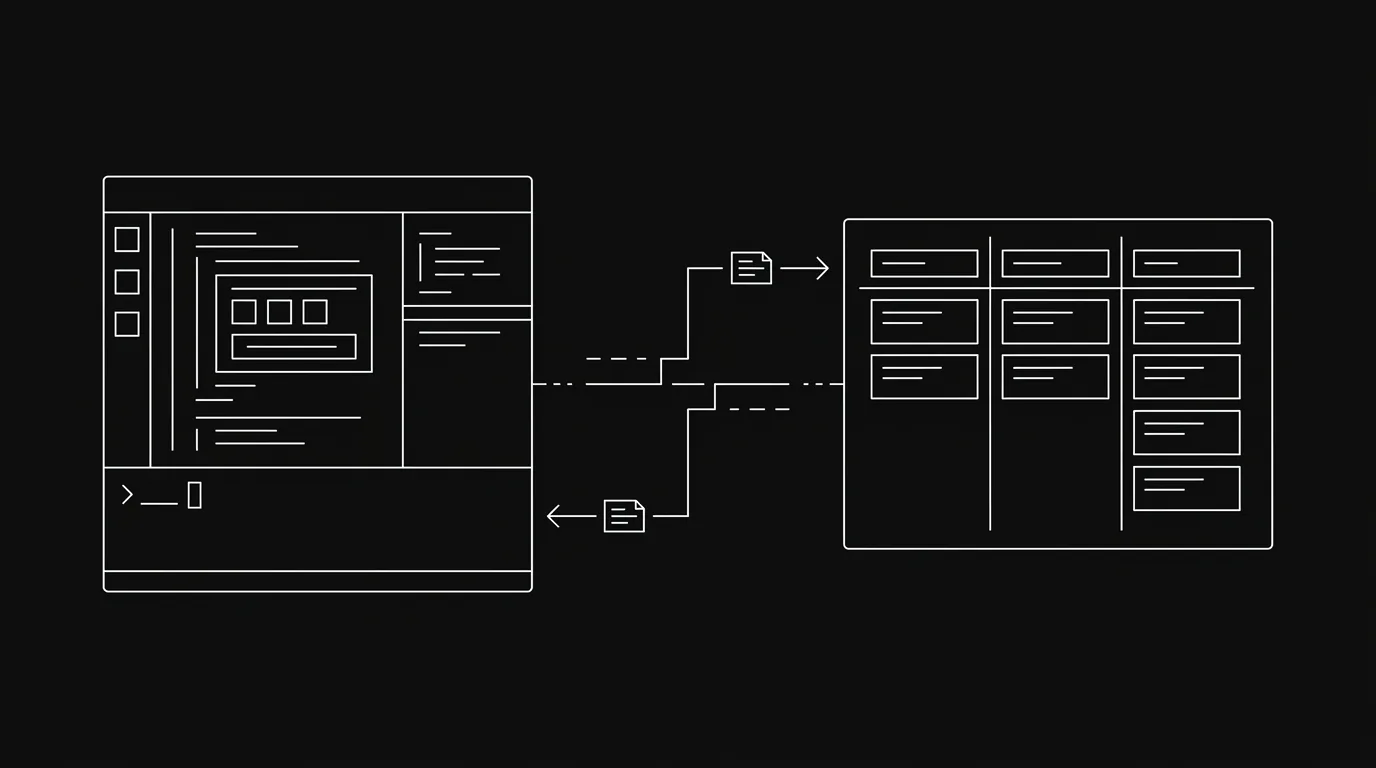
A Claude Code project board gives the coding agent a live source of work outside the current terminal session. Claude Code can read the task, update status, post evidence, and hand the result back to a person without relying on a copied checklist.
You do not need a shared board for every experiment. A small repository, one person, and a short session may be served perfectly well by a CLAUDE.md file and a local task list. The board becomes useful when work survives several sessions, several agents, or a human review step.
This guide connects Claude Code to Hypertask through MCP, verifies the connection, and defines a task loop that keeps the board accurate.
The 2-Minute Setup
You need a Hypertask account and an API key. Do not paste the key into a task, commit, or chat transcript.
1. Copy an API Key
Open Hypertask, sign in, and go to Settings. Copy the API key from the MCP section.
You can also press Ctrl+K inside Hypertask and search for MCP to open the token dialog.
2. Add the MCP Server
Add this configuration to the repository’s .mcp.json file or your global Claude Code MCP configuration:
{
  "mcpServers": {
    "hypertasks": {
      "type": "sse",
      "url": "https://mcp.hypertask.ai/sse",
      "headers": {
        "Authorization": "Bearer YOUR_API_KEY"
      }
    }
  }
}
Replace YOUR_API_KEY locally. Keep the real token out of version control. A repository-level config is convenient when the project should always expose the same server definition, but secret handling must still remain local.
3. Restart Claude Code and Verify
Restart the client after saving the configuration. Then ask:
List my Hypertask projects and show each project ID.Claude Code should call the project-listing tool and return boards you can access. If it cannot connect, confirm the endpoint includes /sse, the authorization value starts with Bearer , and the token is current.
The complete setup reference lives in the Hypertask MCP documentation.
What the Board Adds to Claude Code
Claude Code already has strong local context. It can inspect the repository, follow CLAUDE.md, read plans, and maintain session memory. A project board should complement those files instead of duplicating them.
| State | Best home | Why |
|---|---|---|
| Repository conventions | CLAUDE.md and checked-in docs | Versioned with the code and available before work starts |
| Temporary implementation notes | Local plan or session context | Useful during one run, disposable afterward |
| Work ownership and status | Shared project board | Visible to people and other agents across sessions |
| Progress, blockers, and review evidence | Task comments and attachments | Kept beside the assignment and decision history |
| Code changes | Git branch and pull request | Reviewable source-of-truth for the implementation |
The board is not a replacement for Git or repository documentation. It answers a different set of questions: who owns the work, what state is it in, what decision is blocked, and what should a reviewer inspect next?
That division prevents two common failures. The first is putting every detail into a giant task description that quickly becomes stale. The second is keeping all project state inside one Claude Code session that nobody else can inspect.
The Safe Claude Code Task Loop
The useful workflow has four phases: read, claim, work, and hand off.
Read the Current Task
Before editing code, Claude Code should load the task from the board. A copied prompt may be older than the task. The board may contain a newer comment, scope boundary, or reviewer decision.
A good start-of-session instruction is:
Open HTPR-1234 in Hypertask. Read the description and recent comments.
Summarize the outcome, constraints, and definition of done before changing files.
If any instruction conflicts with the repository, stop and ask on the task.
This creates a visible pause before implementation. The agent confirms what it believes the task means, which gives you a chance to catch an old or unsafe assumption.
Claim One Task
Move the selected task into the working section and post a short claim. The exact section name depends on the board.
Move HTPR-1234 to Doing and add this comment:
<p>Claimed. I am reproducing the issue first, then I will post the fix and validation result here.</p>
One active claim keeps status honest. If Claude Code is waiting for a person, dependency, or external service, it should report the blocker and release or move the task according to the board’s policy.
For multi-agent worker pools, a visual status change alone may not prevent races. Hypertask also provides task-lease endpoints for claim, heartbeat, and release workflows. Those are useful when several automated workers can select the same task.
Work in the Repository
The implementation remains a normal coding workflow. Claude Code reads the repository instructions, changes a scoped set of files, runs relevant checks, and reviews the diff.
The board should not receive a transcript of every command. It needs decision-worthy updates:
- A blocker that requires a person.
- A scope change discovered during implementation.
- A progress checkpoint for long-running work.
- A final summary with validation and review notes.
Routine internal reasoning belongs in the session. Durable project facts belong on the task.
Hand the Result Back
Before moving the task, Claude Code should post a concise report:
<p><b>Ready for review:</b> fixed the duplicate submission path by making the request handler idempotent.</p>
<ul>
  <li>Changed: request handler and regression test</li>
  <li>Validation: targeted test and production build passed</li>
  <li>Review: confirm the retry copy matches the intended behavior</li>
</ul>
Then move the task to the board’s review section. A human can open one inbox item, inspect the task, follow the pull-request link, and decide what ships.
The broader lifecycle is covered in AI agent task management.
A Reusable Claude Code Instruction
Place a short protocol in CLAUDE.md when every session in the repository should follow it:
## Hypertask workflow

When a Hypertask ticket is provided:

1. Read the current task and recent comments before editing files.
2. Restate the outcome, constraints, and definition of done.
3. Move one task to Doing and post a short claim.
4. Keep implementation notes local unless a blocker or decision affects the team.
5. Before handoff, review the diff and run relevant tests.
6. Post changed files, validation, remaining risks, and the review request on the task.
7. Move the task to Review. Do not mark production work Done without the required approval.
This instruction does not grant access or enforce permissions. MCP provides the tools; board membership and token scopes determine what Claude Code can do.
Keep the protocol short enough to read on every session. Long operational manuals are better stored in project documentation and linked from the task.
MCP or CLI for Claude Code?
Claude Code can use both.
| Use MCP when | Use the CLI when |
|---|---|
| The agent should discover structured tools inside the conversation | The work already runs as shell commands or a script |
| You want typed task, comment, project, and inbox operations | You want a concise command that is easy to retry and log |
| The session is interactive and may ask follow-up questions | A CI job, hook, or scheduled process should update the board and exit |
| Tool schemas help the model choose valid arguments | Existing shell control flow should remain deterministic |
MCP is the simplest connection for an interactive Claude Code session. Install the Hypertask CLI when hooks, scripts, or CI also need to update the same board:
npm install -g @hypertask/hypertask_cli
hypertask login
hypertask capabilities
The scoped package name matters. The unscoped hypertask_cli package is stale.
Read CLI vs MCP for AI agent project data access before standardizing one access mode for every runtime.
Claude Code Project Board Options
Several architectures can keep work visible. Choose based on who needs to read and update the state.
| Option | Strength | Limitation | Best for |
|---|---|---|---|
| Markdown task file | Local, versioned, simple | Creates merge conflicts and weak cross-project visibility | One developer or one short-lived repository |
| GitHub Issues or Projects | Close to code and pull requests | Less focused on non-code work and task-anchored inbox review | Engineering-led teams already centered on GitHub |
| General project tool with MCP | Broad team adoption and existing workflows | Agent behavior may be one integration inside a larger suite | Teams keeping an established work platform |
| Hypertask | First-party MCP and CLI with a focused human-agent task loop | Less portfolio and suite breadth | Small teams supervising external agents across execution work |
The question is not whether a board looks like Kanban. It is whether Claude Code can read current state, write accountable updates, and reach the correct person without a copy-and-paste relay.
Permissions and Secret Safety
Treat the MCP token like a password. Keep it in local client configuration or an approved secret store, never in repository content.
Use the least access needed for the workflow. A coding agent that only works on one board should not receive broad access by habit. Separate agent identities also make activity easier to audit because writes can be attributed to the agent rather than its owner.
For higher-risk changes, keep a human review boundary. Code, production configuration, billing, customer-facing copy, and destructive operations should move to Review unless the team has a narrow, tested rule for automatic completion.
The board can show status and history, but it cannot make an unsafe task safe. Scope, permissions, repository controls, and validation still matter.
A Board Structure That Works for Coding Agents
Keep the first board small. Claude Code needs clear state transitions more than a large taxonomy.
| Section | Meaning | Agent behavior |
|---|---|---|
| Backlog | Valid work that is not ready to start | Read only when planning or when explicitly asked |
| Todo | Ready, scoped work available to claim | Pick according to assignment and priority rules |
| Doing | One agent or person is actively responsible | Post a claim and report any blocker |
| Review | Implementation and evidence are ready for acceptance | Wait for feedback; respond on the same task |
| Done | Acceptance passed | Do not move here unless the workflow grants that authority |
A dedicated Blocked section is optional. A blocker can also remain in Doing with a clear comment and owner mention. Choose one convention and keep it consistent.
Every ready task should name the outcome, scope boundary, and definition of done. Link the relevant specification and files rather than copying a large document into the description. For code changes, say which validation is expected and which person or automated gate accepts the result.
Use labels for stable categories such as frontend, billing, security, or documentation. Do not use labels as a second status system. If a label and section disagree about whether work is active, both people and agents have to guess.
Coordinating Several Claude Code Agents
Multiple agents increase throughput only when task selection and ownership are clear.
Give each agent a distinct identity so task history shows which worker acted. Assign work directly when roles are stable. For a shared queue, define the eligible section, priority order, and claim mechanism.
An atomic lease is safer than a read-then-move sequence. Two agents can read the same Todo task before either status update reaches the board. A lease lets one claimant succeed and tells the other to select different work.
Agents should not keep several tasks in Doing merely to reserve them. Limit work in progress according to actual concurrency. A coding agent waiting on a review is not necessarily available for another risky change if the same session context is still needed for revisions.
Use one task for one reviewable outcome. If several agents contribute to a larger feature, create linked tasks with explicit boundaries. Their final comments should point to the shared artifact or parent task so a reviewer can reconstruct the result without searching separate transcripts.
For the full operating model, read the multi-agent shared-board field guide.
The project board provides coordination, not isolation. Separate worktrees, branches, test environments, and deployment controls still prevent agents from colliding in the repository or production system.
Measure Whether the Board Helps
After one week, inspect a small set of operational signals:
- How many agent tasks were claimed by more than one worker?
- How many finished sessions left the board stale?
- Could reviewers understand the change from the task and pull request alone?
- How often did a person copy an update from the terminal to the board?
- How long did completed work wait for review?
- Which blockers arrived without a named decision owner?
The goal is not more comments. It is an accurate shared state with less manual relay. If the board adds administrative work but does not reduce missing context or review time, shorten the protocol and remove low-value updates.
Troubleshooting
Claude Code Does Not Show Hypertask Tools
Restart Claude Code after changing MCP configuration. Check the file location and validate the JSON. Confirm the server URL is exactly https://mcp.hypertask.ai/sse.
Authentication Fails
Confirm the header uses Authorization with the value Bearer YOUR_API_KEY. Generate a new key from Hypertask Settings if the current token is no longer valid. Do not paste the token into a diagnostic message.
The Agent Can Read but Cannot Update
Check board membership and token permissions. The MCP connection can only perform actions the authenticated identity is allowed to perform.
The Board Still Goes Stale
Connection is not workflow. Add the read-claim-report-handoff protocol to the repository instructions, then verify the agent follows it on one real task. If updates happen only at the end, add a progress checkpoint for work that runs longer than your team can comfortably leave unobserved.
Frequently Asked Questions
Can Claude Code use a project board?
Yes. Claude Code can connect to an MCP-compatible project board and call tools to read or update work. Hypertask exposes project, task, comment, inbox, and related operations through its MCP server.
Where should I put the Claude Code MCP configuration?
Use a project-level .mcp.json when the server definition belongs with one repository, or a global Claude Code MCP configuration when you need the connection across projects. Keep the real API key local and out of version control in either case.
Do I still need CLAUDE.md if I use a board?
Yes. CLAUDE.md is a good home for repository conventions and a short task protocol. The board holds shared ownership, status, decisions, and review evidence across sessions. They solve different state problems.
Should Claude Code mark tasks Done automatically?
Only for low-risk work with deterministic validation and an explicit team rule. A safer default for code and production work is to post evidence, move the task to Review, and let the responsible person close it.
Can several Claude Code agents share one board?
Yes. Give each agent an identity and define how work is claimed. For automated worker pools, use leases or another atomic claim mechanism so two agents cannot silently start the same task.
A Claude Code project board is useful when project state must outlive one prompt. Connect the live board, keep repository rules local, and make every agent leave behind a task record a person can review.
Start a 14-day Hypertask trial, connect Claude Code through MCP, and run the loop on one current ticket.