
An AI task manager should remove a specific kind of work. It might turn a goal into tasks, schedule those tasks on a calendar, summarize a project, or let an AI agent update the board after doing the work.
Those jobs are often grouped under one label even though they solve different problems. A calendar optimizer is useful when your day keeps slipping. A work-management suite is useful when a team needs plans and reports. An agent-ready board is useful when AI systems already complete tasks and people need a reliable way to supervise them.
The best choice therefore depends on what you want the AI to manage. This guide separates the category into practical jobs, compares representative products, and gives you a test you can run before moving your work.
The Short Answer
Choose an AI task manager by the bottleneck it removes:
- Choose Motion or Reclaim when the main problem is fitting tasks into a changing calendar.
- Choose Taskade when you want AI-generated plans and agents inside a flexible collaborative workspace.
- Choose ClickUp or Asana when a larger team needs broad work management, reporting, and built-in AI across existing projects.
- Choose Todoist when personal capture, recurring tasks, and a simple daily list matter more than team operations.
- Choose Hypertask when external agents in Claude Code, Codex, Cursor, scripts, or CI need to claim and update the same board people review.
No tool is best at every one of these jobs. Start with the work you want removed, not the longest AI feature list.
What Is an AI Task Manager?
An AI task manager is software that uses a model or an AI agent to help create, organize, schedule, update, or complete tasks.
That definition covers four distinct product shapes:
| Product shape | What the AI manages | Typical output | Best fit |
|---|---|---|---|
| Planning assistant | The structure of a goal or project | Tasks, subtasks, owners, briefs | Turning a vague request into a workable plan |
| Scheduling assistant | Time on a calendar | Time blocks and revised schedules | People whose priorities change during the day |
| Work-management assistant | Existing workspace data | Summaries, fields, reports, automations | Teams already running work in a broad suite |
| Agent-ready task system | The execution record | Claims, comments, status, evidence, handoffs | Teams where external AI agents perform real work |
Some products span several rows. The distinction still matters because the first useful action is different. A scheduler asks when work can happen. A planning assistant asks how to break it down. An agent-ready system asks who or what owns the task, what changed, and what a person needs to review.
The phrase also gets confused with an AI to-do list. A to-do list can be enough for personal work. Team task management usually needs permissions, shared status, comments, history, and a way to handle handoffs without copying context between tools.
If external agents will operate the system, the complete guide to AI-agent project management infrastructure covers board access, worker identity, task history, and review beyond the task-manager category.
Six AI Task Managers Compared
This is a fit comparison, not a universal ranking. Each product has a different center of gravity.
| Tool | AI task-management strength | Where work lives | Main tradeoff |
|---|---|---|---|
| Motion | Builds and adjusts a calendar schedule around tasks | Calendar and project workspace | Best when time allocation is the bottleneck, less focused on external-agent accountability |
| Reclaim | Schedules tasks and habits around calendar availability | Calendar connected to task sources | Strong calendar layer, not a shared execution board for agents |
| Taskade | Generates projects, tasks, workflows, and agent-powered apps | Collaborative workspace | Flexible surface can require more choices about how the team will operate |
| ClickUp | Adds AI across a broad work suite with tasks, docs, chat, and reporting | All-in-one workspace | Breadth brings more configuration and product surface |
| Todoist | Supports fast capture and personal task organization | Lists, projects, and calendar views | Simpler for individuals, lighter for agent supervision and team review |
| Hypertask | Lets external agents read and write the same board through CLI and MCP | Shared task board and task-anchored inbox | Focused execution model with less suite and calendar breadth |
Motion: Best When Tasks Need Calendar Time
Motion is built around automatic scheduling. Tasks compete for real calendar space, and the schedule adjusts when priorities or availability change. That is a direct answer to a common failure mode: the list looks reasonable, but there is no time reserved to do it.
Motion is a strong fit for people who trust a calendar more than a static priority list. It also supports team and project work, so the product is broader than a personal scheduler.
The tradeoff is emphasis. Calendar optimization tells you when work should happen. It does not by itself create the operating record needed when several external agents claim tasks, post evidence, and hand work back to human reviewers.
Reclaim: Best as an AI Scheduling Layer
Reclaim schedules tasks around meetings, habits, focus time, and changing priorities. It can pull tasks from connected sources and defend time for them on the calendar.
This model works well when the task system already exists and the missing layer is realistic scheduling. You can keep work in another product while Reclaim finds time for it.
That also defines the boundary. Reclaim is a calendar layer, not the durable project board where an agent should explain what it changed, attach evidence, or ask for approval.
Taskade: Best for Generating Workflows and Agent Apps
Taskade combines collaborative tasks with AI generation and agents. It can turn prompts into project structures and lets teams build repeatable AI-powered workflows inside the workspace.
Choose it when creating the plan and shaping the workflow are central. Its flexible views and collaboration model cover more than a narrow to-do list.
That flexibility means a team still needs to decide how agents claim work, when they update status, and what must reach a person for review. A configurable workspace can support many operating models, which is useful when you want to design your own.
ClickUp: Best for an All-in-One Work Suite
ClickUp combines tasks with docs, chat, dashboards, goals, time tracking, automations, and many views. Its AI products work across that broad workspace, and external clients can also connect through MCP.
ClickUp makes sense when AI should work with a large amount of existing company context and the team actively uses the surrounding suite. Consolidating tools can be more important than keeping the task model small.
The cost of that breadth is configuration. Teams evaluating ClickUp should test the actual workflow they need instead of comparing the total number of features. Our ClickUp alternative comparison covers that tradeoff in more detail.
Todoist: Best for Personal Task Discipline
Todoist remains easy to understand: capture a task, place it in a project, assign a date or priority, and work through the list. Its current product includes AI-assisted features and integrations without abandoning the familiar personal-task model.
Choose Todoist when recurring work, quick capture, and individual planning are the center of the problem. A product people consistently open is more useful than a sophisticated system they avoid.
Teams should test whether its notification and collaboration model is enough once external agents do substantial work. The Todoist alternative guide compares personal productivity with a shared human-agent execution loop.
Hypertask: Best When AI Agents Do the Work
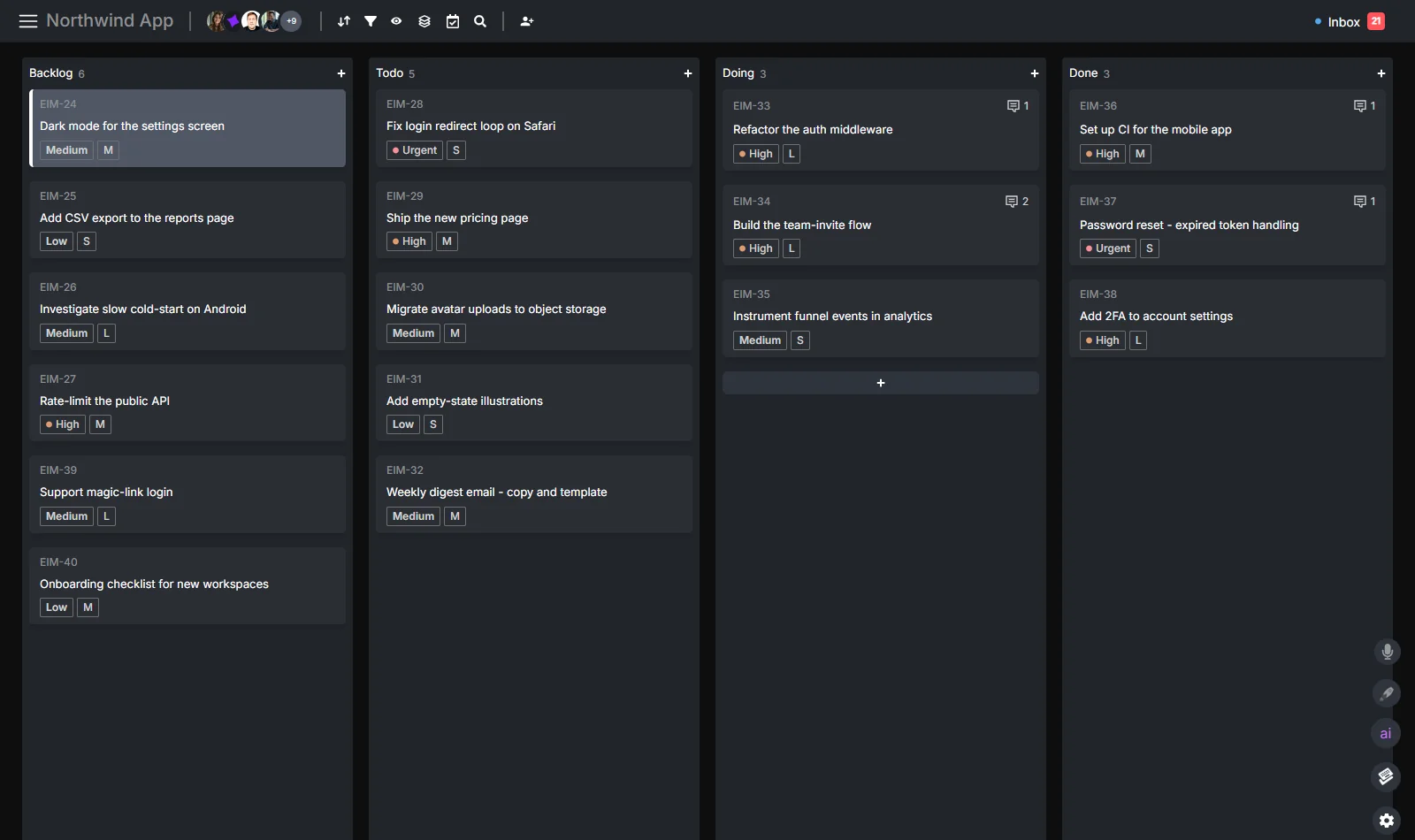
Hypertask starts after the plan exists. It gives humans and external AI agents one shared task board.
An agent can use the first-party CLI or MCP server to inspect tasks, move one into progress, post a comment, add evidence, track time, and hand the result to a person. The person sees the relevant update in an inbox tied to that task.
That model is useful when the AI does more than suggest tasks. It completes coding, research, operations, or content work in another environment and needs to keep the project system current.
Hypertask is not the best fit when automatic calendar scheduling or a broad all-in-one work suite is the main requirement. Its advantage is the narrower AI agent task management loop: claim, update, report, and close.
The Seven Capabilities That Matter
Feature pages often make AI tools look interchangeable. Test these capabilities against your real work instead.
1. Reliable Task Capture
The system should make it easy to turn an email, meeting note, prompt, or spoken thought into a task. The important test is not whether AI can generate a title. It is whether the result lands in the right project with enough context to act on.
For personal use, natural-language dates and recurring rules may be enough. For team work, capture should also preserve the source, owner, and decision boundary.
2. Useful Decomposition
AI is good at producing plausible subtasks. Plausible is not the same as correct.
Ask the tool to break down a real project, then inspect whether it:
- Keeps the outcome visible instead of producing a generic checklist.
- Preserves constraints and dependencies from the source.
- Separates work that needs approval from work that can run automatically.
- Avoids inventing requirements to make the plan look complete.
The strongest systems let you approve or edit the structure before agents begin execution.
3. Priority With an Explanation
Automatic prioritization is only helpful when you can understand the inputs. A model that moves tasks based on urgency, deadlines, dependencies, or workload should expose enough reasoning for a person to catch a bad assumption.
A practical task manager also lets the human override the result. Priority is a decision, not a permanent model score.
4. Calendar Reality
A list can contain twenty high-priority tasks. A day cannot.
If personal time allocation is the bottleneck, use a product that reserves calendar time, reacts to meetings, and reschedules unfinished work. Test how it handles an overfull day. A useful scheduler should surface the conflict instead of hiding it in a more attractive calendar.
5. Live Board Access for Agents
When agents perform the work, pasted context becomes a liability. The board changes after the prompt was copied. Another person may update the task, a blocker may arrive, or the priority may shift.
An agent-ready task manager should provide structured read and write access through an API, MCP, CLI, or a combination of these. It should let the agent read the current task before acting and write the result back to the same record.
The choice between access modes matters. CLI and MCP solve different agent runtimes, and reliable teams often need both.
6. Attribution and Evidence
If an agent changes a task, the history should identify the agent as the actor. The task should also hold the evidence a reviewer needs: a pull request, file, report, test result, screenshot, or short completion note.
Without attribution, the board says work happened but cannot answer who or what did it. Without evidence, the person still has to reconstruct the agent session.
7. A Quiet Human Review Queue
Agents can produce far more activity than a person should watch live. The task manager needs a way to route only decisions, blockers, mentions, and completed work to the right reviewer.
This is different from a general activity feed. A task-anchored inbox lets the person process one item, act in context, and archive it. Routine machine activity can remain on the task without becoming another notification channel.
AI Task Manager vs AI Project Manager
The terms overlap, but they point to different scopes.
An AI task manager focuses on work units: capture, owner, priority, schedule, status, and completion. An AI project manager may also reason about goals, milestones, dependencies, resources, risks, and reports across many tasks.
Do not choose based on the label. Check what the product can read and change. A product may call itself an AI project manager while only generating summaries. Another may use the simpler task-manager label while supporting boards, agents, reporting, and multi-step workflows.
For teams using external agents, the most important distinction is between an AI feature inside the product and an agent that can operate the product. Both can be useful. They are not the same architecture.
A One-Week Evaluation
Do not migrate a whole workspace to test an AI promise. Use one active project and score the behavior you can observe.
- Pick a project with ten to twenty current tasks.
- Write down the bottleneck: planning, scheduling, reporting, or agent handoff.
- Import or recreate only the active tasks and their owners.
- Let the AI plan, schedule, or execute work for one week.
- Record every time a person has to copy context, repair a task, or chase status.
- Check whether the board is more accurate at the end of the week.
- Keep the product only if it removes the bottleneck without creating a new review burden.
For an agent-ready board, require one external agent to follow a strict loop: claim one task, post a progress note if needed, attach the result, move it to review, and notify the owner. The test is whether a person can understand the work without opening the agent transcript.
Choose by Workflow, Not by Feature Count
The same team may need more than one kind of AI task support. Use the workflow below to decide which product should own each part.
Personal Daily Planning
The inputs are usually a task list, a calendar, and personal preferences. The desired output is a day that fits.
A scheduling-first product should be able to answer:
- Which tasks can fit before the next fixed meeting?
- What moves when an urgent task arrives?
- Which deadline is now unrealistic?
- How much focus time remains after meetings?
Test the schedule on a difficult day, not an empty one. Add a meeting at noon, move a deadline forward, and leave one task unfinished. Watch whether the product produces a credible new plan or simply moves the overload to tomorrow.
This workflow rarely needs an external AI agent with broad project permissions. Calendar access and task-source integrations may be enough.
Team Project Planning
The inputs are a goal, constraints, existing work, team capacity, and a deadline. The output is a shared plan people can challenge and update.
AI can draft the first breakdown, but the team should inspect dependencies and ownership. Generic plans often look complete because they contain familiar phases. They can still miss the one legal review, data migration, customer approval, or infrastructure dependency that controls the real schedule.
Use AI to create a reviewable starting point. Keep project acceptance with the people responsible for delivery.
Repetitive Operations
The inputs arrive in a known shape, and most outcomes follow a rule. Examples include classifying requests, creating a standard checklist, routing work, or preparing a status report.
Start with deterministic automation. Add a model only where the input requires interpretation. This keeps the workflow cheaper and easier to test.
For example, a rule can create a task whenever a form is submitted. An AI step can summarize an unstructured attachment. Another rule can assign the result based on a confirmed field. The task manager should preserve which step was automatic and which result came from a model.
External Agent Execution
The input is an assigned outcome plus project context. The output is completed work and a durable handoff.
This workflow needs more than task generation. The agent must read current state, claim ownership, work in another environment, and return evidence. The board also needs an exception path when the agent lacks authority or context.
Ask vendors to demonstrate the entire lifecycle on one task. A video of AI generating subtasks does not prove the system can supervise an agent through completion.
Build a Scorecard Before the Trial
Score each product against the bottleneck you named. A simple five-point scale is enough if every score has an observed reason.
| Criterion | Question to test | Weight when planning | Weight when agents execute |
|---|---|---|---|
| Capture accuracy | Did the task retain the source, owner, and deadline? | High | Medium |
| Plan quality | Did the breakdown preserve constraints and dependencies? | High | Medium |
| Calendar realism | Did the schedule fit actual availability? | High | Low |
| Live project access | Did AI read current state before acting? | Medium | High |
| Write reliability | Did every status and comment update appear once? | Low | High |
| Attribution | Can you identify the person, automation, or agent behind each change? | Low | High |
| Review routing | Did the right person receive a clear, task-linked decision? | Medium | High |
| Administration | Could you control access without manual work each day? | Medium | High |
| Adoption | Did people use it without a separate policing routine? | High | High |
Do not average scores that represent different jobs. A calendar tool can score low on agent attribution and still be the right personal planner. An agent board can score low on automatic scheduling and still solve the team’s main coordination problem.
Write the disqualifiers before the demo. If the product must support a specific calendar, identity provider, deployment region, API, or permission boundary, verify it early.
What AI Task Management Costs Beyond the Subscription
Seat price is only one part of the cost. Include these items in the trial:
Model Usage
Some plans include a pool of AI actions or credits. Others require a separate add-on or your own model key. Ask what happens when the quota runs out and whether essential task operations still work.
For external agents, model usage may happen outside the task product entirely. In that case, the task manager’s job is coordination and audit history, not paying for every model call.
Configuration
A broad suite may replace several tools but require someone to design fields, automations, templates, dashboards, and permissions. A focused product may configure faster but leave documents, chat, or portfolio reporting elsewhere.
Count the time required to reach a stable default. A flexible demo workspace is not the same as a maintainable production setup.
Review Load
AI can create more tasks, summaries, suggestions, and agent outputs than a team can approve. Measure the time people spend checking generated work.
The best automation result is not the most output. It is the least avoidable human coordination while accuracy remains acceptable.
Migration and Exit
Check what you can import and export. Task titles alone are not a complete migration if comments, files, owners, dates, dependencies, and history matter.
Also test how you would leave. A product becomes harder to replace after AI workflows depend on its fields, prompts, and automations. Prefer standard exports and clear APIs when project history has long-term value.
How to Roll Out an AI Task Manager
Start With One Repeated Pain
Choose a workflow people already experience every week. Examples include rescheduling an overloaded calendar, turning a client request into a plan, producing a weekly status report, or handing coding tasks to an external agent.
Avoid a general goal such as “use more AI.” It gives you no stable way to decide whether the rollout worked.
Define the Human Boundary
List the decisions a person retains. The boundary may include approving generated plans, changing priorities, shipping code, contacting customers, spending money, or deleting data.
Put the rule in the workflow and the agent’s durable instructions. Do not rely on someone remembering it during a busy run.
Measure the Old Process
Record a small baseline before changing tools:
- Time spent planning or rescheduling.
- Number of manual status requests.
- Tasks with stale owners or sections.
- Agent outputs copied from one tool to another.
- Review items that arrive without enough evidence.
After the pilot, compare the same observations. A feature may feel impressive while the coordination cost remains unchanged.
Expand Only After the Loop Is Stable
Once one workflow runs cleanly, copy the operating pattern to a related project. Keep permissions and review rules narrow as you expand.
If every new project requires a different prompt and manual rescue routine, the system is not ready to scale. Fix the task design or workflow before adding more agents.
Common Buying Mistakes
Buying AI Without a Defined Job
“It has AI” does not tell you whether the product schedules, plans, summarizes, or executes. Ask for the exact input and output of the feature you expect to use.
Treating Generated Plans as Finished Plans
A polished checklist can hide missing constraints. Require an owner to approve dependencies, acceptance criteria, and the review path before execution starts.
Connecting Every Data Source on Day One
Broad access increases both risk and noise. Connect the minimum source needed for the pilot, then expand after you understand how the model uses it.
Automating an Unstable Process
If the team disagrees about status, ownership, or acceptance, AI will reproduce that ambiguity faster. Define the basic workflow first.
Ignoring the Human Inbox
Every AI action that requires approval creates attention work. Decide where those decisions arrive and how a person clears them. Otherwise the task manager creates a new backlog of machine-generated review.
Keeping Two Sources of Truth
Running the same active project in two task systems creates status drift. A staged migration can be useful, but assign one source of truth to each task and link across systems when needed.
Check the Ordinary Task Experience
AI features do not repair a task manager people dislike using. During the trial, complete the ordinary actions without AI: create a task, assign it, change status, find a comment, review the inbox, and recover an archived item.
Test desktop and mobile if both matter to the team. Check keyboard access, loading speed, notification controls, and whether a new teammate can understand the board without a guided tour. These details determine whether people keep project state current after the novelty of the AI feature fades.
Also turn the AI off for part of the test. The core task system should remain usable when a model is unavailable, a credit limit is reached, or company policy restricts a sensitive project. A reliable manual path gives the team a fallback and makes it clearer which improvement came from AI rather than from adopting a better task workflow.
Frequently Asked Questions
What is the best AI task manager?
The best AI task manager depends on the job. Motion and Reclaim are strong when tasks need automatic calendar time. Taskade helps generate plans and workflows. ClickUp and Asana suit broader team work management. Todoist is simpler for personal tasks. Hypertask fits teams where external AI agents need to update the same board humans review.
Can AI automatically prioritize my tasks?
Yes, many AI task managers can suggest or change priority based on dates, workload, dependencies, and workspace context. Treat the result as a recommendation unless the rules are deterministic. A useful system explains enough of the decision for a person to override a bad assumption.
Can an AI task manager complete tasks for me?
Some products run built-in agents or automations, while others connect external agents through MCP, APIs, or CLI tools. Check what the agent can actually change, how actions are attributed, and whether completed work reaches a human review queue with evidence.
Is an AI task manager safe for company data?
Safety depends on the product, model configuration, permissions, and the data you expose. Review access scopes, retention terms, audit history, and admin controls. Start with one low-risk workflow and use the least privilege needed for the agent to complete it.
Should I replace my current task manager?
Only if the new tool removes a measured bottleneck. A scheduling layer can sometimes sit on top of the current system. An external-agent workflow may justify a separate execution board. Avoid keeping the same active task in two systems because status will drift.
An AI task manager earns its place when the board becomes more truthful and people spend less time moving information around. Choose the product shape that removes your bottleneck, test it on live work, and judge the result by the manual coordination left behind.
If external agents already do the work, start a 14-day Hypertask trial and test the claim-update-report-close loop on one project.