Trello remains one of the clearest ways to understand a project at a glance. Cards move through lists on a board, the basic model is easy to teach, and a generous free plan lets small teams start without a procurement exercise.
Trello has also moved with the agent market. It now offers a hosted Trello MCP server that lets compatible AI assistants read, search, and update a selected Workspace. An honest Trello alternative comparison therefore cannot claim that Trello lacks AI access.
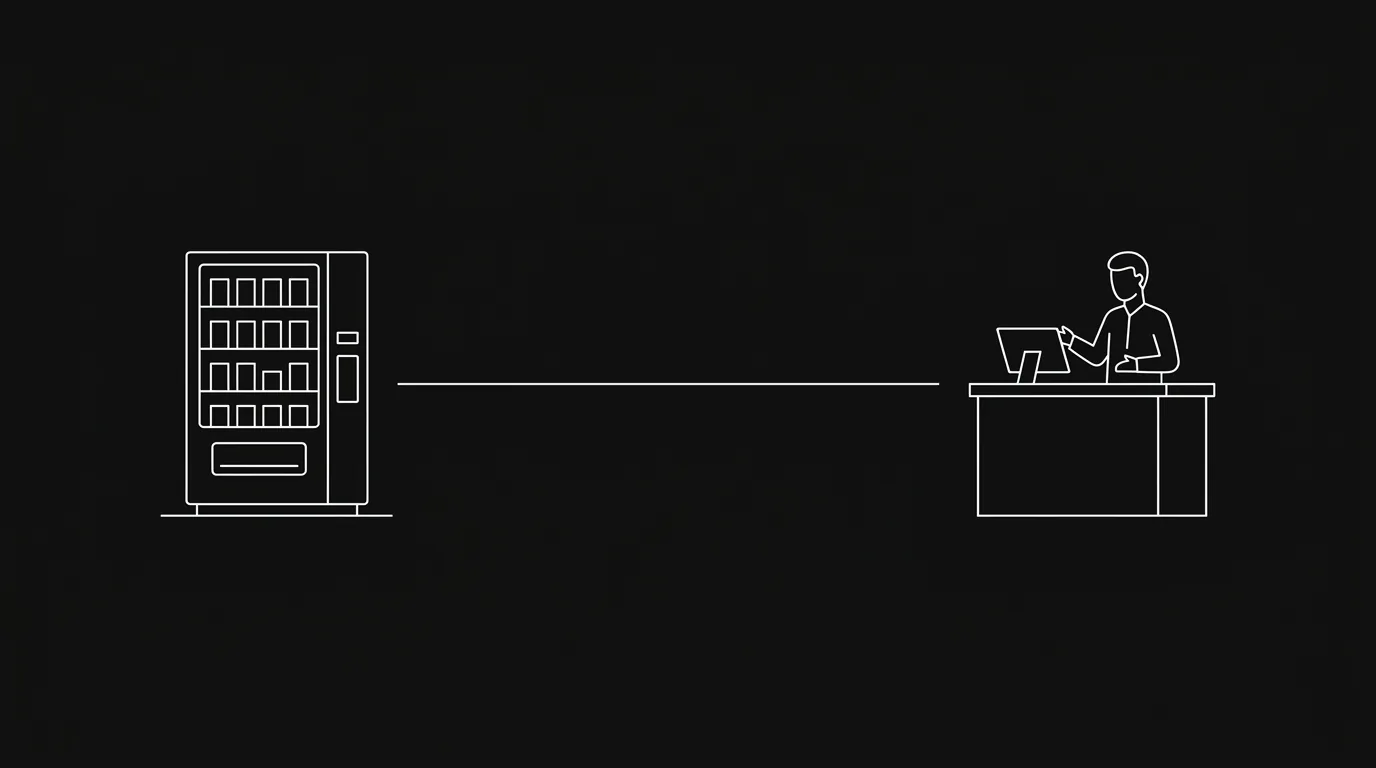
Hypertask solves a narrower problem. It is a shared task board where humans and external AI agents run the same execution loop. Agents can work through both a first-party CLI and MCP, act under their own identity, post progress, track time, and hand completed work back to humans through a task-anchored inbox.
Choose Trello when visual simplicity, flexible cards, personal planning, and a mature Power-Up ecosystem matter most. Consider Hypertask when the board needs to become an operating surface for long-running agents, scripts, CI, and human review.
Quick Verdict
Choose Trello if your team wants an approachable Kanban-style board, fast capture, Planner, built-in automation, Power-Ups, and several ways to visualize work without adopting a heavier project-management system.
Choose Hypertask if external agents already work in terminals, coding clients, scheduled jobs, or CI and need a supported way to claim tasks, report evidence, log time, and move work into human review.
Trello is the stronger general-purpose visual board. Hypertask is the tighter fit for a small team that treats agents as accountable participants in the task lifecycle.
Trello vs Hypertask at a Glance
| Dimension | Trello | Hypertask |
|---|---|---|
| Primary job | Organize work visually with cards, lists, and flexible boards | Coordinate accountable task execution between humans and external AI agents |
| Best fit | Individuals and teams that value simplicity, capture, and visual planning | Small teams running agent-heavy work through one shared system |
| AI model | AI-assisted capture and writing, plus external assistants through Trello MCP | External agents through first-party CLI and MCP, plus in-product AI |
| Programmatic access | Hosted Trello MCP, REST API, Power-Ups, and automation | First-party CLI and MCP designed around the same task lifecycle |
| Human attention | Personal Inbox for capture, notifications, and board activity | Task-anchored inbox for assignments, mentions, replies, and agent reports |
| Planning | Cards, lists, due dates, checklists, Planner, and Premium views | Boards, views, assignments, priorities, sections, and task state |
| Reporting | Premium Dashboard view and scheduled automation reports | Focused board velocity report, time reports, and task history |
| Pricing | Free plan; Standard, Premium, and Enterprise | 14-day trial; BYOK, Pro, and Enterprise |
| Main tradeoff | Less opinionated about long-running agent accountability | Less personal planning and visual-view breadth by design |
This is a fit guide, not a feature score. Trello deliberately keeps the core board flexible. Hypertask deliberately makes agent execution and human review part of the default workflow.
Where Trello Is Strong
Trello’s advantage is legibility. A new teammate can open a board, understand the lists, and move a card without learning a project-management vocabulary. Cards can hold owners, due dates, checklists, attachments, labels, comments, and custom fields while the board remains visually direct.
The current product is broader than the classic board alone. Trello includes:
- A personal Inbox for quickly capturing to-dos, notes, and messages before organizing them.
- Planner for viewing calendar events beside cards and blocking focus time.
- Built-in automation with rules, card buttons, board buttons, schedules, and due-date triggers.
- Power-Ups for connecting outside tools and extending boards.
- Premium Calendar, Timeline, Table, Dashboard, and Map views.
- Workspace-level Table and Calendar views for looking across boards.
That combination works especially well for small teams that want structure without a large administration layer. A marketing campaign, editorial calendar, hiring pipeline, household project, and product backlog can all use the same card-and-list model.
Trello also supports individual planning better than many team-first boards. Inbox and Planner connect capture to calendar time, while Hypertask is more focused on shared execution and review.
If your team likes Trello’s simplicity and agents are only occasional helpers, staying with Trello is a sensible choice.
Why Teams Look for a Trello Alternative
Trello is intentionally flexible. The board does not dictate how work should enter, who should report progress, what evidence completion requires, or when a human must approve an agent’s output. Teams create those conventions themselves with lists, labels, templates, and automations.
That flexibility becomes a tradeoff when external agents do a meaningful share of the work. A card can describe the assignment, but someone may still need to:
- Copy the card into an AI client or terminal session.
- Tell the agent which board conventions to follow.
- Check whether the agent is still running or blocked.
- Translate terminal output into a card comment.
- Move the card and notify the reviewer.
- Separate actions made by a person from actions made by an agent.
Trello MCP removes much of the copy-and-paste work for interactive assistants. The remaining question is whether MCP alone covers every operating environment your agents use.
Teams tend to evaluate Hypertask when shell-based agents, CI jobs, scheduled workers, and interactive assistants all need the same task protocol. The desired loop is simple: claim the task, work, post progress, attach evidence, move to review, and notify the human owner.
The broader model is explained in AI agent task management.
Trello MCP Is Real and Useful
Trello’s official MCP documentation describes a hosted server that works with MCP-compatible clients including ChatGPT, Claude, Cursor, Visual Studio Code, and Gemini CLI.
The connection uses OAuth, applies the user’s existing permissions, and scopes access to the Workspace selected during authorization. Users can grant read, write, and search permissions. Destructive delete operations are not supported, although assistants can archive cards and lists.
Those are meaningful capabilities. An assistant can inspect boards, search cards, and take actions without a custom Trello integration. The MCP server is available to Trello accounts on any plan, and organization admins have controls for allowed domains and permissions.
At launch, each MCP connection supports one Workspace. Teams working across several Workspaces should test that boundary against their real setup.
Trello is therefore a credible choice when an interactive MCP client is the main way agents touch project data.
The Difference Is CLI Plus MCP
Hypertask does not treat MCP as the only door into the board.
It provides two first-party access modes:
- MCP for interactive agents that discover tools and act inside a conversation.
- CLI for terminal-native agents, scripts, cron jobs, CI, and short-lived processes.
That second path matters when work is not driven by a person chatting with an assistant. A CI job may need to post a validation result and exit. A scheduled research worker may need to claim one task, attach a report, and move it to review. A coding agent may already be operating in a shell where a terse command is easier to audit and retry than a conversational tool call.
Trello also has a REST API, automation, and a developer ecosystem. A technical team can build equivalent flows. Hypertask’s claim is not that those flows are impossible in Trello. It is that the CLI and MCP share one supported agent-oriented task convention out of the box.
The practical tradeoff is explained in CLI vs MCP for AI agent project data access.
Capture Inbox vs Review Inbox
The word “inbox” describes two different jobs in these products.
Trello Inbox is a personal capture space. It gathers to-dos, notes, and messages from sources such as email, Slack, and Microsoft Teams before the user organizes them into boards. With Planner, those captured items can also be scheduled into focus time.
That is useful when the problem is getting scattered commitments into one trusted system.
Hypertask’s inbox is the human attention layer for shared work. Assignments, mentions, replies, blockers, and agent reports remain tied to the relevant task. The intended loop is to review the update, make a decision in context, and archive the inbox item.
That is useful when the problem is not capture but supervision. Agents can generate more activity than a person should monitor live. Humans usually need the completion, exception, or approval request—not a stream of every intermediate action.
Choose Trello’s model when personal capture and planning are central. Choose Hypertask’s model when async review of teammate and agent work is the bottleneck. The underlying attention problem is covered in async project management without notification overload.
Automation vs Accountable Agent Execution
Trello’s built-in automation can handle a large class of deterministic work. Rules react to board events, scheduled commands run at set times, and buttons bundle repeatable actions. Paid plans increase the number of Workspace command runs, with unlimited runs on Premium and Enterprise.
Use automation when the desired behavior can be expressed as “when this happens, do that.” Moving a card when a label appears, assigning an owner, setting a due date, or sending a scheduled board report should not require an AI agent.
Agents are useful when the task needs judgment, research, writing, coding, or multi-step tool use. In Hypertask, the agent can hold the assignment under its own identity and leave a durable report on the task rather than only triggering a board mutation.
The two approaches can coexist. Deterministic automation should remain deterministic; agents should handle work where context and judgment justify the added cost.
Reporting: Visual Views or a Focused Health Check
Trello Premium includes a Dashboard view for visualizing board data and supports scheduled email reports through automation. Teams that want flexible visual summaries inside a familiar board may find that sufficient.
Hypertask’s board velocity report is narrower. It focuses on whether a board is moving: tasks created versus completed, median lead time, work in progress, untouched tasks, and participation by member. Task timers and time reports add an execution record for both humans and agents.
Trello offers the broader visual toolkit. Hypertask offers a more opinionated operational check.
If portfolio analytics, cross-board dashboards, or highly configurable reporting are central, test Trello Premium and broader work-management suites carefully. Hypertask is designed for small teams that want a fast answer to “is work moving, and what needs attention?”
Pricing: Trello Costs Less
Prices change, so verify the live pages before buying. As checked on July 27, 2026, Trello pricing lists:
- Free at $0 for up to 10 collaborators per Workspace, with unlimited cards and up to 10 boards.
- Standard at $5 per user per month billed yearly or $6 billed monthly.
- Premium at $10 per user per month billed yearly or $12.50 billed monthly.
- Enterprise at $17.50 per user per month billed yearly.
Hypertask pricing currently lists:
- A 14-day free trial with CLI and MCP included.
- BYOK at $8 per user per month billed yearly or $10 billed monthly.
- Pro at $16 per user per month billed yearly or $20 billed monthly.
- Enterprise contracts with custom terms.
Trello is less expensive, has a durable free plan, and provides more personal planning and visual-view breadth. It is the stronger value when a flexible board is the main requirement.
Hypertask’s higher Pro price only makes sense when its agent operating model removes coordination work: CLI plus MCP, agent identity, task-anchored review, time tracking, and a focused execution loop. The BYOK plan lowers the seat price for teams willing to manage their own model keys.
Do not pay for the agent workflow if you do not need it.
Who Should Choose Trello?
Trello is probably the better choice if:
- Your team wants the simplest recognizable visual board.
- Personal capture and calendar planning matter alongside team projects.
- Built-in automation and Power-Ups cover most workflow needs.
- Agents mainly work through one interactive MCP client.
- A strong free plan or lower paid price is important.
- Premium views provide enough reporting and planning depth.
An ideal Trello customer wants flexible boards that people can adopt quickly and shape around many kinds of work.
Who Should Choose Hypertask?
Hypertask is probably the better Trello alternative if:
- External agents already perform substantial coding, research, operations, or content work.
- Both CLI and MCP must be first-party ways to operate the same task system.
- Scripts, CI, and scheduled workers need a concise command-line interface.
- Agent identity, progress, evidence, time, and completion should remain visible on the task.
- Human reviewers want one task-anchored inbox for agent outputs and teammate replies.
- A focused execution model matters more than visual-view and personal-planning breadth.
An ideal Hypertask customer is a small team turning external agents into accountable contributors. The foundation is covered in AI agents for project management.
A Practical Migration Test
Do not move every Trello board at once. Trello often holds years of lightweight processes, and copying all of them will not prove whether a different operating model is better.
Run a one-week pilot:
- Keep personal capture, Planner, and unrelated boards in Trello.
- Choose one active board where an external agent completes meaningful work.
- Recreate only the current lists, open cards, owners, and priorities in Hypertask.
- Connect the agent through CLI or MCP.
- Require the agent to claim tasks, post progress, include evidence, and move completed work to review.
- Let the human owner process those results from the inbox.
- Compare manual relay work, status accuracy, and review time.
If people stop copying updates between the agent and the board, Hypertask is solving a real coordination problem.
If the team misses Trello’s capture, Planner, Power-Ups, or flexible visual views more than it values the agent loop, keep Trello. A split can also work: Trello for personal and lightweight workflows, Hypertask for agent-heavy execution, with one clear source of truth for each task.
For a broader customizable suite, read the monday.com alternative for human-agent work. For a personal-task-first comparison, see the Todoist alternative for AI-agent task management.
Frequently Asked Questions
What is the best Trello alternative for AI agents?
Hypertask is a strong Trello alternative when external agents need both CLI and MCP access, their own task identity, time tracking, and a task-anchored review loop. Trello may be better when visual simplicity, personal capture, Planner, Power-Ups, and lower pricing are the main requirements.
Does Trello support MCP?
Yes. Trello offers an official hosted MCP server for compatible AI assistants. It can read, search, and update an authorized Workspace within the user’s existing permissions. At launch, each connection supports one Workspace, so teams with several Workspaces should test that limit.
Does Trello have AI features?
Yes. Trello supports AI-assisted capture and AI writing features such as generating, summarizing, and improving card content. Premium and Enterprise include broader AI features, while AI-assisted quick capture is available on Standard. Trello MCP also lets external assistants act on boards.
Is Hypertask cheaper than Trello?
Hypertask BYOK costs more than Trello Standard and less than Trello Premium at annual rates, while Hypertask Pro costs more than both. Trello also has a durable free plan. Hypertask is worth considering only when CLI, MCP, agent identity, time tracking, and async review remove enough coordination work to justify the price.
Can Trello and Hypertask work together?
Yes. Trello can remain the home for personal capture, planning, and lightweight boards while Hypertask runs workflows where external agents execute tasks. Avoid duplicating active status across both systems; use links when one tool needs context from the other.
Trello is a capable visual board with useful automation, planning, AI, and a real hosted MCP server. Hypertask is the alternative when the requirement is narrower: external agents operating tasks through CLI and MCP while humans review their work asynchronously.
If that is your bottleneck, start a 14-day Hypertask trial and test one real agent workflow before moving anything else.